

News
Dev update #9: UI overhaul
Hi!
I am still here. During the last months, I have been working my way through the planned user interface (UI) improvements. I am a little bit conflicted about how I feel about it. On one hand, getting the UI right is paramount to a fluid user experience. It is true for all survival games because such games typically require a lot of inventory management. And it is especially true for Arcs of Magic with its focus on the spell editor. On the other hand, as so many things with the development, it requires a huge effort, but does not advance the gameplay at all. Which is mildly frustrating, as you can imagine.
The amount of work on the UI was massive, and I am now falling behind the announced schedule. Moreover, I have realized over the last year or so that the original scope of the V4 was not what I needed for the public launch. This is why I decided to push back the launch to the V5 (coming later in 2024), and to rework the scope of the V5 and the roadmap in general according to my updated vision of the development priorities. I will prepare and publish a separate post on that in the coming weeks.
The introduction out of the way, let us take a look at those "decent icons" I have been promising. Here they are:
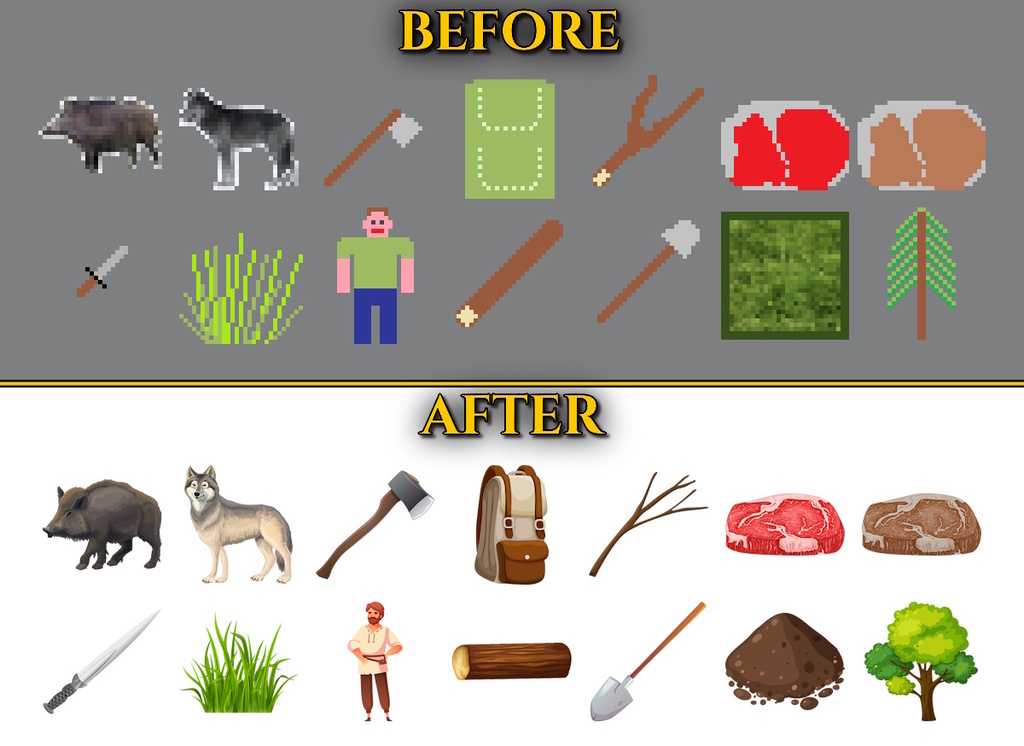
Good bye, Microsoft Paint. You have been a great companion for years, but the time has come for Arcs of Magic to move on.
The new icons are based on assets, of course. Despite a popular opinion, using assets is really tricky. It took a lot of time and effort to find appropriate sources online, to choose a visual style, to find individual assets that would not look wildly different (after giving up on finding a good asset pack), and to integrate them. I hope that the remaining style disparities are acceptable. Let me know what you think!
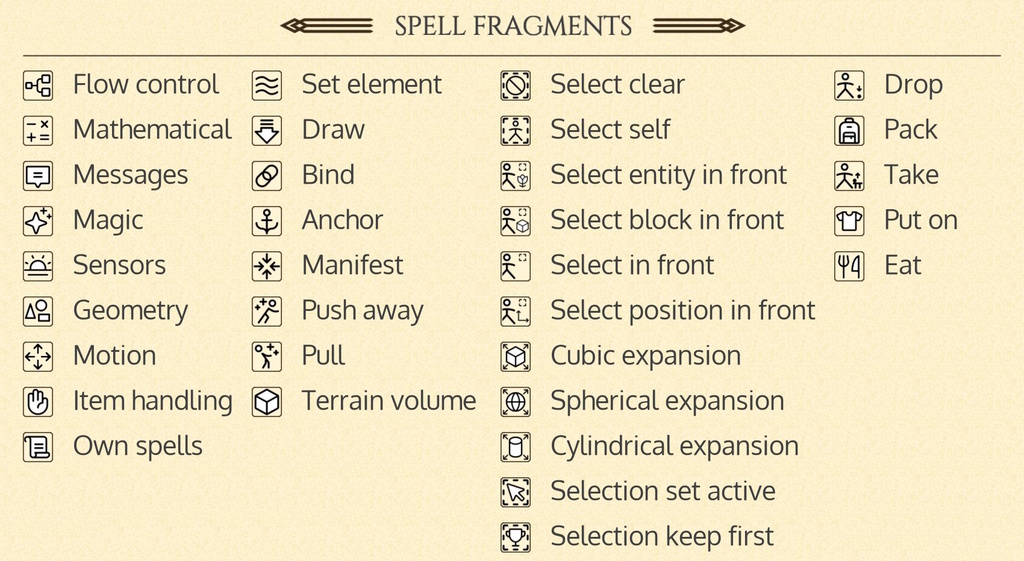
I also decided to add individual icons for all spell fragments, spell categories, and some utility buttons in the spell editor. I was lucky enough to find a rich and consistent icon set online and I built from there. Some icons are used unmodified (or slightly recolored), while for other spell fragments, I had to combine several icons or even draw entirely new ones (e.g., "Pull", "Push away", "Drop").
Over 100 icons have been added (a portion is shown above), and I must say I am really satisfied with the result. The spells in the spell editor now look totally different.
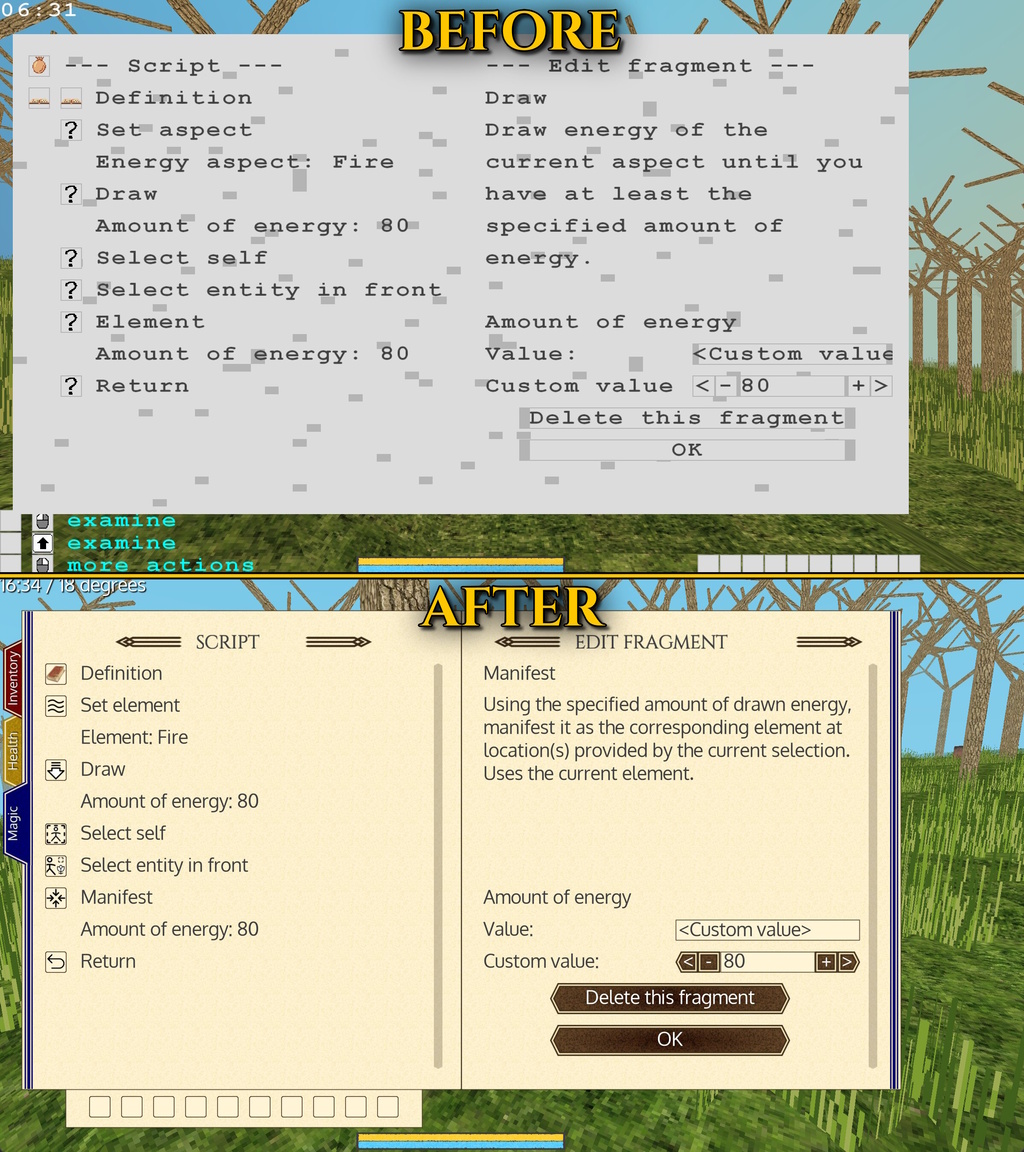
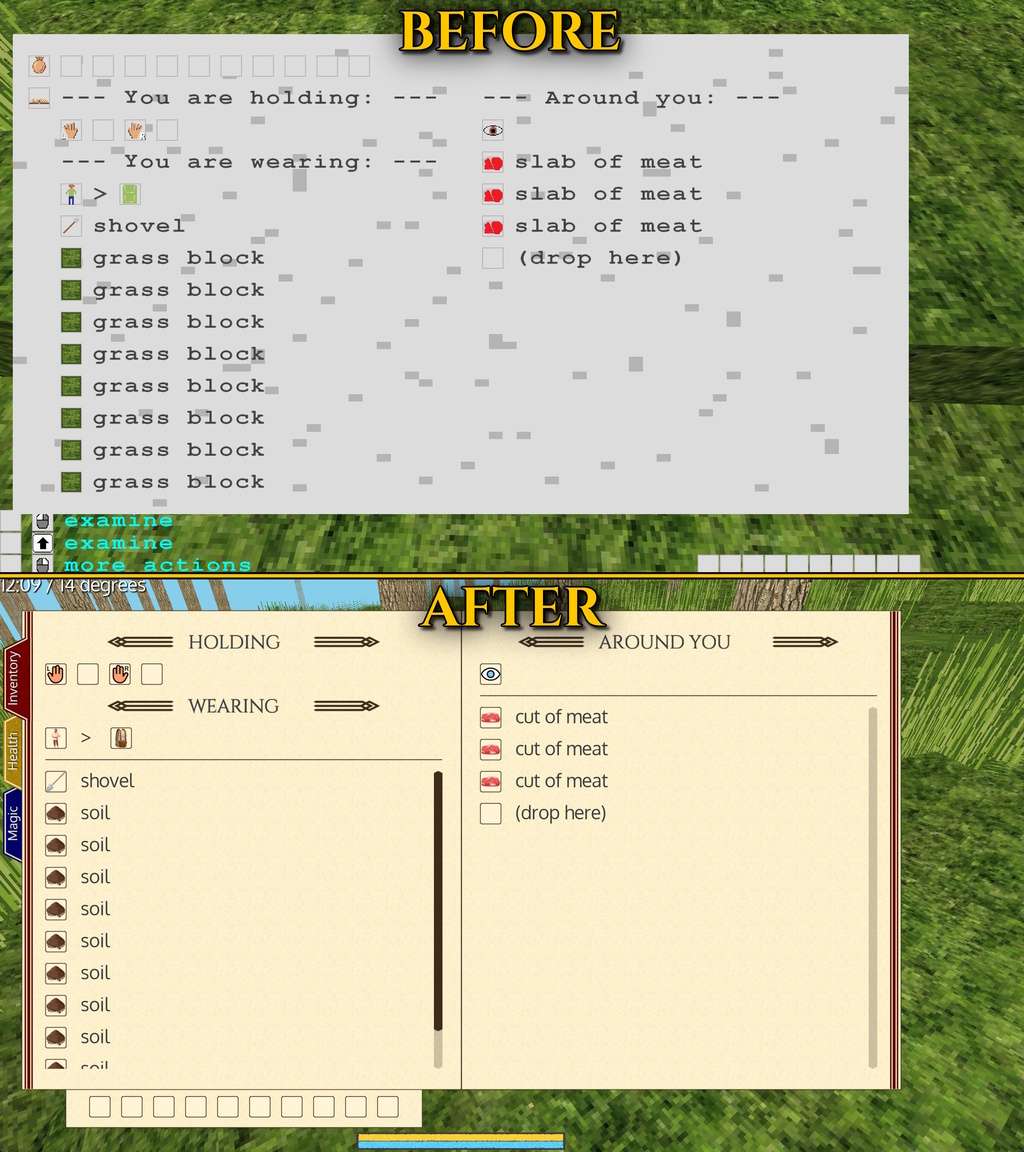
Something else has changed in the menus, can you spot all the differences? Now, let me help you:
- Non-monospace fonts.
- New, properly scaled, paper-like background.
- Page borders and a book-like central separator.
- Custom font titles and title decorations.
- The hotbar on a separate sheet of paper.
- Horizontal lines allowing a better visual layout.
- Thin and thick buttons with a new design (with responsive, width-adjusted background, I might add).
- Colored bookmark-like tabs with matching page decorations.
- Scrollbars.
And, as a hidden bonus: drop shadows in the background HUD text. Not an invention of the century, for certain, but it does help with the readability a lot!
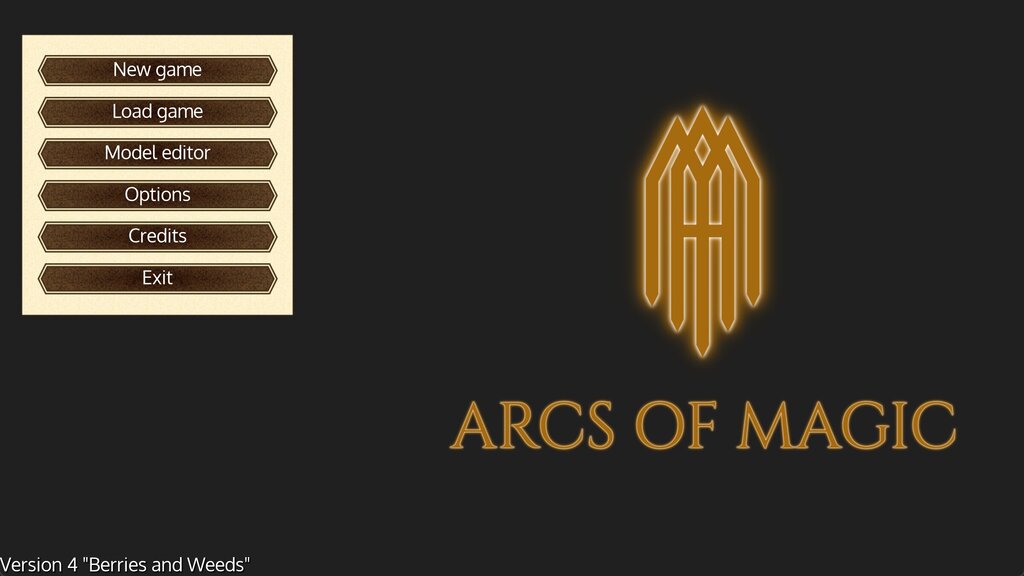
And the last touch: a new main screen with the game logo instead of an empty screen, as before.
Well, this is it. It was a long post for what was almost six months of work. I hope you liked it. See you soon for the updated roadmap!
Happy New Year to everyone. Cheers.
-- YamertLegend
Dev update #8: fonts and menus
Hi, All. In the time since the V3 release, I have been working on the UI improvements. As you have noticed, in the previous versions, I have been using the same monospace font all over the place. It did not look very well and it took a lot of the screen space for tiny amounts of text.
Moving forward, I had to add full support for variable width font faces. And I am happy to report that this work is now complete! It will allow me to have more information in the menus while keeping relatively large, easy-to-read fonts. I can now use any font in a variety of standard formats, render different font faces and sizes thanks to a built-in pre-rendering engine which keeps the letters sharp and readable, whatever the zoom factor. The cherry on the cake, new shaders using the Signed Distance Field allow me to have shadows and outlines virtually for free.
It is also part of the plan for the V4 to rework the menu backgrounds a little. After a good deal of hesitation, I decided to stick with the "old book" style with apparent pages and bookmarks. Other ideas I toyed with were stone-and-jewel based, wood based, and abstract styles. But, oh well. It is a game about magic, after all, so leaning into the scroll and grimoire style should be a better match, if a little less original.
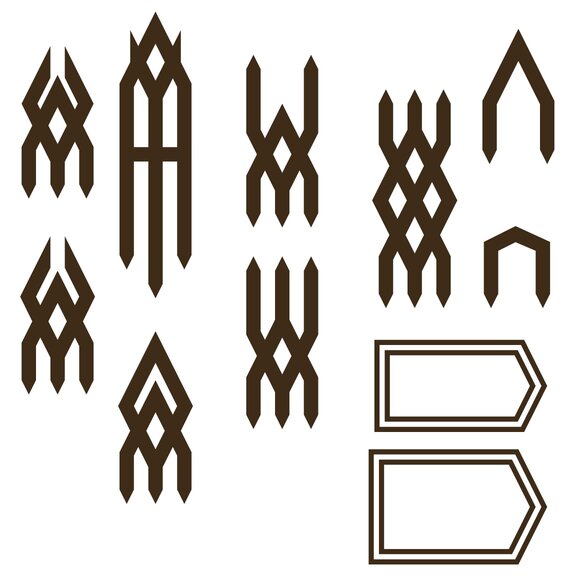
I am not a UI designer at all, so even simple things take a lot of time. This work is still ongoing, and I can not share any actual screenshots with you yet, but here are some UI elements I designed in InkScape. They borrow the main visual theme from the game logo. I plan to use them for menu titles, borders, separators, buttons, and so on.
Once that is done, I will move on to "decent icons", as I put it in the the roadmap, and then I'll be able to show you some new screenshots.
Take care.
-- YamertLegend
V3 release notes are here
Hi.
As promised, here come the V3 release notes:
Have a nice day.
-- YamertLegend
V3 "Fire and Frost" released!
Dear All!
I have just published the latest version of "Arcs of Magic" - the V3 "Fire and Frost"! It brings several new mechanics and major UI improvements: detailed temperature simulation for cooking, burning, and fire propagation, significant spell editor UI overhaul to make spell crafting more intuitive, and, finally, the ability to enchant objects with custom spells.
Unfortunately, this version does not feature the planned "mountain generation" update, a must-have for a meaningful exploration. It is coming very soon, in the V4. This is due to the fact that both the "enchantments" and the "temperature mechanics" modifications required major reworks and took more time than expected (surprise!). This is also why this release is one month late. I know there are not many people waiting for the game yet, but still I plan on sticking to the roadmap as much as possible. I will use this experience to improve my planning and to avoid taking on more than I can chew, by either spreading deliveries in time or by simplifying the planned mechanics in their first edition.
The release notes are coming soon, I'll make a separate post for that.
As always, I look forward to getting your feedback about the game. And this time around, one can do so much more inside the demo. Just give it a try!
Take care.
-- YamertLegend
Dev update #7: enchantments
Hi! It took me longer than I would have liked, but here we are. The power of object enchantments is finally within your grasp!
The player can access the enchantment menu for any object by selecting the "Examine" command in the context menu. Indeed, I plan to add other information into this menu later on, such as a physical description of the object, its state, advanced commands, and so on. This can be triggered for an object you hold or for an object in front of you.
Once in the enchantment menu, the player can make the object "sentient" (enchant it), and then add one or several enchantments to it. This works exactly as the spell editor for the player himself. You can see the list of the enchantments on the left side and a brief description corresponding to the selected enchantment on the right side (see the screenshot below). It is, of course, possible to edit any enchantment in the list.
On top of that, one can activate or deactivate the enchantments. An activated enchantment will be triggered periodically (once every couple of seconds), so you can craft all kinds of spells, and the enchanted object will execute them for you by itself. For the moment, only one enchantment can be activated at any given time, but multiple simultaneous activations may be allowed later on, if there is a need for such a feature.
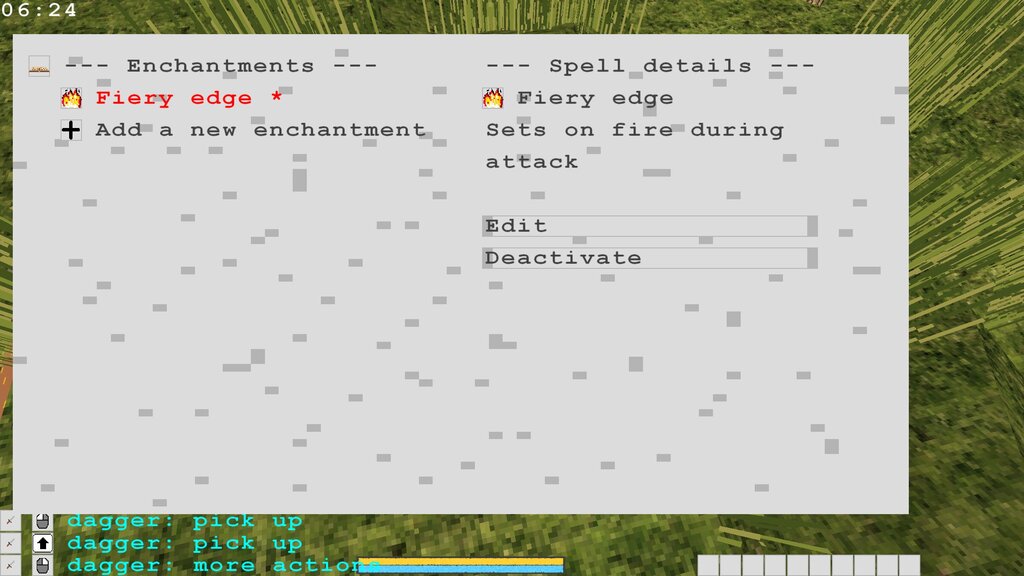
Also, there is only one automatic trigger for now (the periodic trigger), but I plan to add all kinds of events later on, such as "on touch", "on hearing", "on motion", and so on. This will allow us to achieve a more precise timing, to imagine richer interactions, and to craft more powerful spells in less fragments than before. For example, the "on touch" trigger will provide direct access to the entity in contact with the enchanted object, instead of listing all visible objects, filtering them by "those who touch the enchanted object", and so forth. Then, the enchanted object would be able to bestow a blessing or a curse on the entity touching it, an action only possible while the touch is being carried out.
As a preview of such enchantments, I have added to the game an enchanted dagger that reacts to the "on inflict damage" event. I'll let you discover what it does for yourself (although I think it is apparent in the screenshot above).
It is a strange feeling. Enchanting arbitrary objects was at the heart of what I wanted Arcs of Magic to become from the very start. So, in a way, it is the culmination of the years of work I already put into the simulated magic engine idea. And yet, as if I have only just ascended the first peak, a multitude of new summits lies now before me. The dream of making a game where any spell is possible is now one step closer.
Now, back down to Earth, I'll be working on fire propagation and temperature mechanics, the next feature for the upcoming V3 release. Stay tuned!
-- YamertLegend
Dev update #6: fragment information at a glance
I decided to make a quick post about the V3 progress because I have just finished a big chunk of the V3 scope and I am about to move on to a totally different topic.
In line with the previous dev update, I have been improving the spell editor interface even further. One thing that bothered me from the very beginning is that you never quite knew what the spell did, even if you were looking straight at it. The reason was simple, of course: the list of the fragments was shown on the left, but their parameters were not. So, you had to click through all the fragments just to see how they were used.
Not anymore! The left pane now includes the parameter names and values for all fragments, as well as the initial values for the variables, if you have any. You still need to use the right pane for editing values, but the spell reading itself now finally feels natural and effortless.
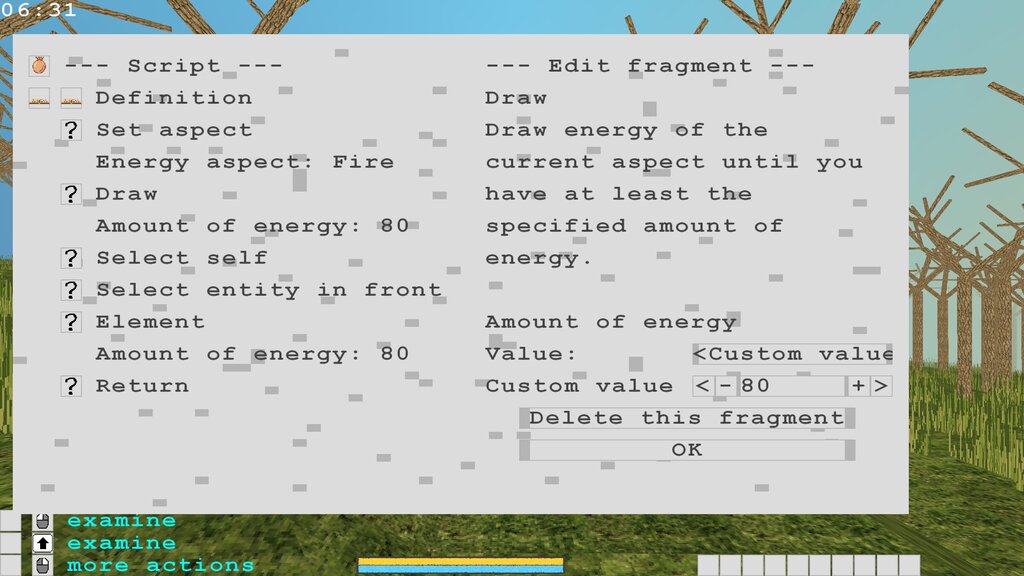
The screenshot above also features a "spinner" widget used for the custom value. You can now set the desired value by clicking on the buttons, as well as by typing it in. And yet another little bonus: all spinners know the required value's precision and the authorized range for each parameter type, too.
Now, the next task is quite the opposite of the one I just finished. Instead of tinkering with the user interface (an important, but a rather technical task), I will take some pleasure in adding a major game mechanic that is still missing.
I speak, of course, of the ability to enchant objects. Cheers!
-- YamertLegend
Dev update #5: improved fragment configuration in the spell editor
Hi and Happy New Year to all of you! I hope you enjoyed your holidays. I certainly did, and I also used my spare time to perform the largest overhaul of MagicScript in years.
Previously, the MagicScript type system was fixed, i.e. one could only have the variables of three types: integers, fractional variables, and strings. In the new version, I introduced custom types. Let us call them lists (although they are more akin to enumerations and bit flags). In the future, if there is a real use case for this, one will even be able to define its own types. For the moment, the custom types are limited to the types required by the built-in fragments.
The reason why I needed to do it as soon as possible is simple. Before this change, one had to type the exact names of all parameters. For example, to select the fire energy aspect, you had to type "aspect_fire", letter by letter. It was slow, error-prone, and just a little bit nerdy. More importantly, there was no way for the normal player to know what the possible values were. And while one can try different element names one by one, it was totally impossible to guess various types of filters, entities, terrain types, food types, and so on. So now, the new version finally allows the player to choose the required value from a simple list.
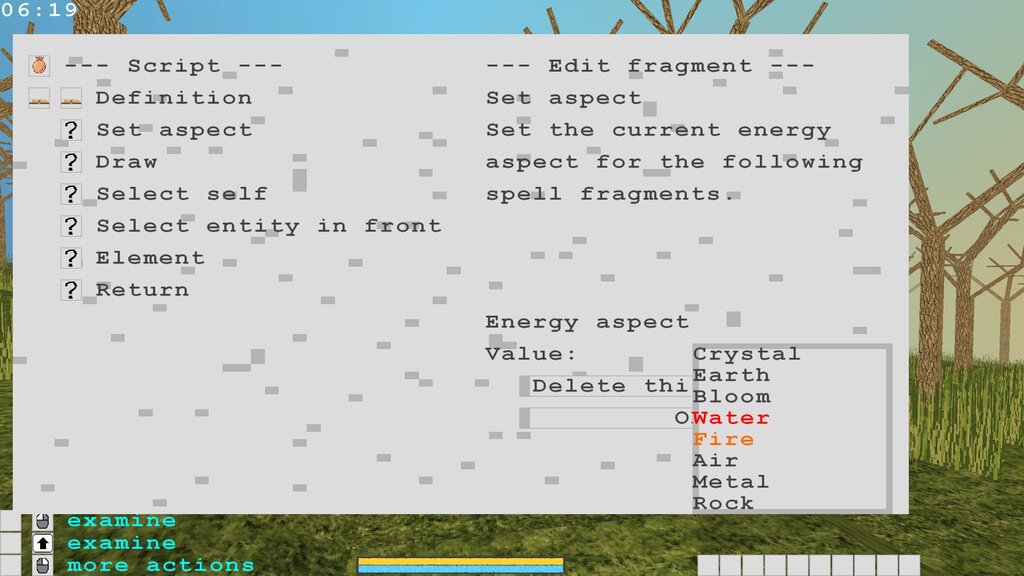
This modification is very technical and there are few screenshots to show for the massive amount of work it represented. But this change (along with the parameter names and fragment descriptions added in the V2) finally makes it possible to start using the spell editor for real - something I have been looking forward to for a very long time.
Also, on the screenshot above, you can see the list of the 8 energy aspects that will be present in the game. Just a little teaser.
See you later!
-- YamertLegend
V2 "Night and Day" released!
Hi everybody! The new version of "Arcs of Magic" - the V2 "Night and Day" - has just been released! And it has a bunch of features that bring it more and more alive: the day and night cycle, the realistic sleeping with continued world simulation, mental exhaustion when using magic, crawling, and so on.
Last, but not least, important usability changes have been introduced to the spell editor. All spell fragments now have clearer names, detailed descriptions, and named parameters. It should now be easier than ever to understand the logic behind the existing spells and to start crafting your own ones!
As mentioned in the dev update #4, it also has several improvements with respect to some of the issues reported to me by the beta testers, most notably, in the spell editor area.
I am particularly happy to deliver this new version according to the dates announced in the development roadmap, even as I had some last minute surprises to fix just before the release!
As always, I look forward to getting your feedback about the game.
Both brief and detailed release notes are available, if you wish to read them.
See you for the next dev update on the road to the V3. Enjoy!
-- YamertLegend
Dev update #4: better spell editor and stamina bars
And here we are for the final dev update before the release of the V2! It is also the first time when I can say that some of the changes I introduced address a number of issues reported to me by the beta testers. I am eager to hear what you think of these improvements!
Improvements in the spell editor should make it much easier to understand. First of all, the spell fragments have all been renamed. The new names look less like assembly instructions and more like simple names. "inci" became "increase integer", "msgsend" is now "show message", and so on. Underscores have all been eradicated, of course.
Spell fragments, like scripts, now have detailed descriptions too, as well as named parameters. For instance, one can see that the unique parameter of the "element" spell fragment corresponds to the "amount of energy to use" (see the screenshot below).
This information is available for all accessible spell fragments and should be invaluable for decyphering what each fragment does and how it should be used in a spell.
To complement this improvement, the spell editor UI has been reworked, too. It now features multi-line labels and multi-line editable fields, as well as text clipping and horizontal scrolling in the text edit fields.
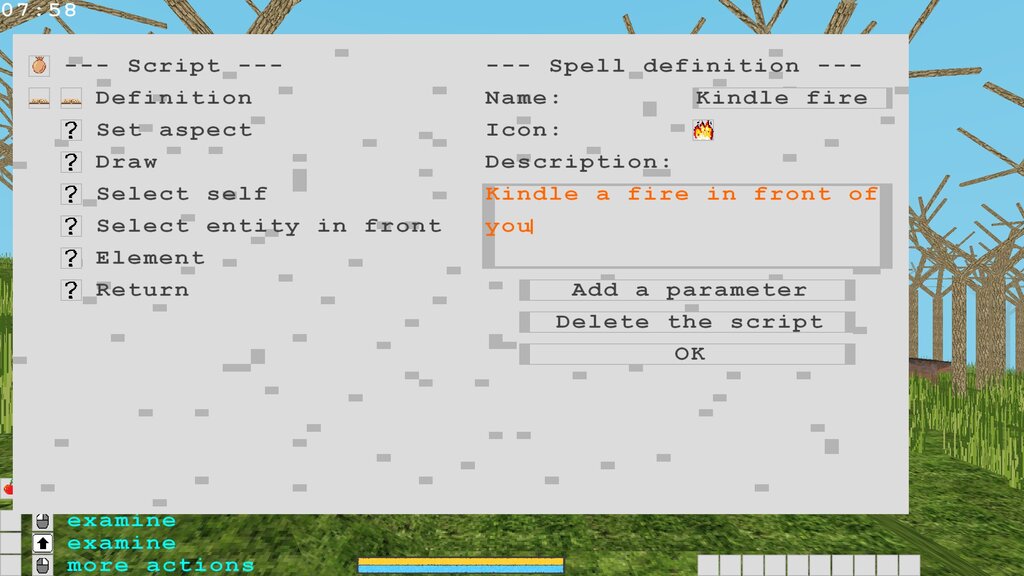
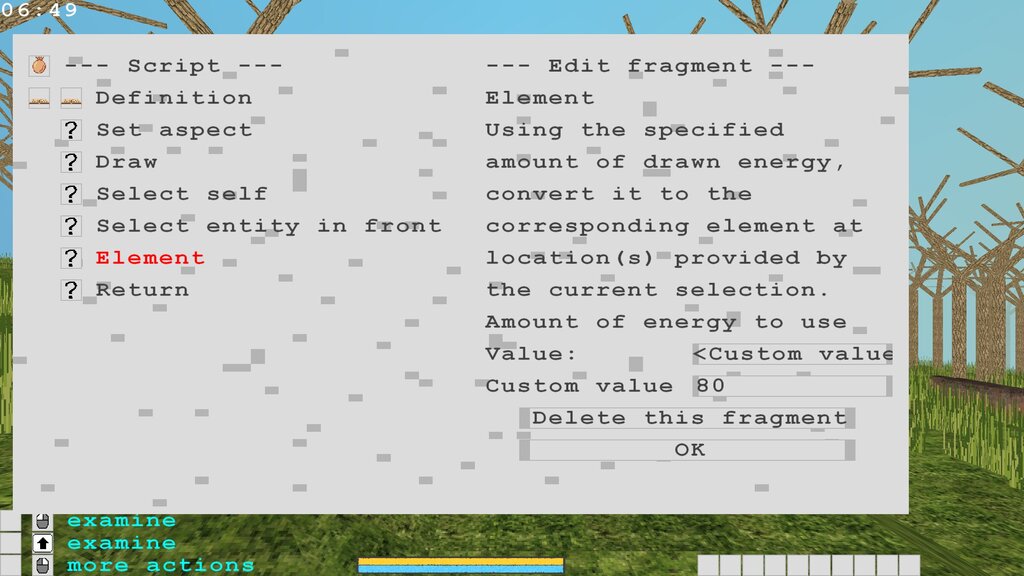
A bunch of minor adjustments followed. In no particular order:
- added some new spell fragments (text manipulation, conditional transitions (jumps) to the label positions),
- removed a couple of the more obscure spell fragments,
- added a way to go directly into a sub-script during the editing,
- added a "Use now" button,
- and many other tweaks.
Another big new feature since the last dev update is the mental exhaustion system (quite appropriate for my current state, I must add). As you can see in the screenshot below, I added two stamina bars: a yellow one for physical, and a blue one for mental activities (magic). They will behave in a similar fashion but apply to different actions, of course. For the moment, only the blue stamina bar is active. I spent some time tweaking their appearance: size, spacing, colors, textures (they are not just simple solid color bars!), and borders. The rendering was not obvious either, especially for the bars that are half empty or almost empty, because I had to make sure that they always looked nice (no hard clipping, for example). They may be the first HUD element in the game that is close to the "final" quality. I hope you like them.
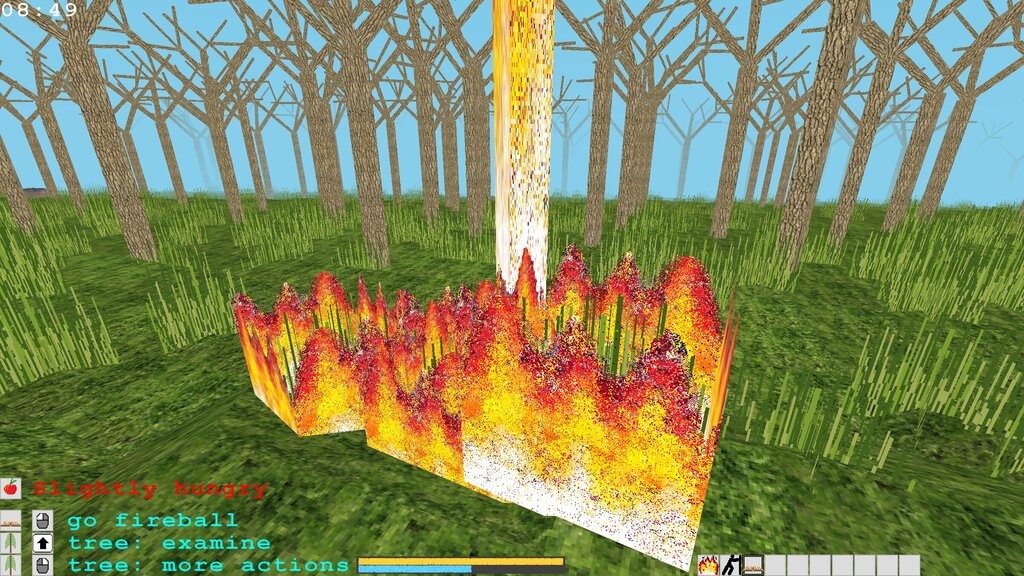
As always, tons of changes remain mostly invisible. The mental stamina mechanics led to a complete overhaul of the magic-related fragments' implementation. I wanted the lower mental stamina levels result in slower spell execution. In order to achieve this, I had to switch from the constant (zero-tick, in most cases) timing to variable multi-tick timing. As if it were not enough, various magical actions can apply to several selected items at once, and some of them can be done progressively ("element"), while others must accumulate the full charge before being enacted ("push"). More fun for me! (Just kidding. It was actually rather exhausting.)
I also implemented the force pull and the terrain anchor fragments. The anchor can hold you in place whenever you use the push or the pull commands, for example.
As these tasks close the scope of the first major update - V2 "Night and Day", I guess I am off to writing the release notes, some testing, and finally publishing the new version in a couple of days! I am very tired but also excited to reach this milestone. Stay tuned!
-- YamertLegend
Dev update #3: sleeping
The work on the sleeping mechanics is finally over. Finalizing it was a bit longer than expected, but I am quite happy with how it works now. I managed to add a bunch of fun little details which will contribute to the feeling of being inside a living, moving world.
First, sleeping animals (and humans) now have closed eyes. The eyes also close when an animal dies. When the player sleeps, the screen fades out and only the clock remains on the screen.
One can give an explicit command to sleep from the context menu. For this, one should be lying and be at least a little sleepy. Just for fun, I also added an auto-fall asleep logic. If you are lying and have not moved for some time, you will fall asleep by yourself. You can fight this by moving from time to time. It is also possible to abandon the sleep attempt during the screen fade out. Moreover, at the extreme levels of sleepiness, you can fall asleep even if you are standing - just a couple of seconds of inactivity will be enough. And that is not all! As you fall asleep while standing, your body will fall down, and that in turn will wake you up. But if you do not move once on the ground, you will finally fall asleep for good. (I really love these little details).
Of course, "lie down" and "sleep" commands are also available for the AI. Each animal type has its own preferred sleeping periods. Wolves sleep during the day, while humans and pigs sleep during the night. It is quite possible to be awake during your sleeping period. This can happen, for example, if an animal is attacked. However, the sleepiness accumulates faster during the sleeping periods, so that any AI controlled animal should return to its natural sleeping pattern after several days (think jet lag).
I decided to make it impossible to wake up at will, as it seems to be the most realistic way to do this. I may tweak it later (for instance, I thought about being able to wake up after a certain minimal sleeping time), but for the moment, you will sleep as much as your body needs to. And soon, inventive players should be able to come up with enchantments mimicking the functionality of the alarm clocks. In any case, be sure to sleep in a safe place!
One may wonder how realistic it is to know the exact time whenever you wake up. The reason is simple. All magical creatures in Arcs of Magic are attuned to the flow of energy around them. This energy flow's intensity and aspect change depending on the time of day. Thus, it is as easy to determine the time as to look outside and decide what color the sunlight is.
Going to sleep is delayed by the animal AI if they are hungry or feel threatened by nearby animals or sounds. Typically, animals will eat first and then find a calm, isolated place to lie down and sleep.
Sleeping creatures can wake up before having fully recovered their strength on a number of events, e.g. nearby sounds, pain, and quick motion (such as falling down). I was amused to discover that it was possible to sneak up on the sleeping animals if I moved step by step, because that does not generate step sounds.
Most of the heavy lifting took place behind the scenes. To start with, the accelerated simulation required rewriting a bit of the client-server code, as I did not want to send useless scene updates to the client for every tick. Even so, on my machine, a full six-seven hour night still took too long to simulate (about 30 seconds). I am certain that at this point my computer is significantly slower than an average gaming station out there. Still, I wanted a typical night to be no longer than 15 seconds, so I had to add additional throttling into the simulation. Now, when you sleep, from the simulation point of view, the time goes twice as fast (and from the player's point of view, the speed ratio is about 35x). By itself, it was already a little tricky because some code considered simply the tick number differences (instead of the simulated time differences) and had to be re-written. But then, additional difficulties arose when these new changes started to interact with various other throttled sections of the code (i.e., the code that is not executed every tick), such as stable entity simulation (such as trees), health and hunger code, and so on.
I also had to disable all commands coming from the client: standard commands from menus, hotbar, and the command line, but also actions (mouse clicks) and motion (turning, walking, and so on). That unfortunately broke both the pause (while sleeping) and respawn (if you die while sleeping) actions. And of course, game saving during the sleep also had to be tweaked.
All in all, adding the sleeping mechanics had very large impact on many parts of the engine. The good news is I should not need such sweeping changes any time soon. I can think of a couple of things that might be problematic in the future, such as teleportation, sleep walking, and multiplayer support, but all these things are still a long way ahead.
I will now double down on the remaining features for the V2, such as spell editor improvements. And there is not much time left until November! See you soon.
-- YamertLegend
Dev update #2: crawling
Hi there! I am sorry for having disappeared for 8 weeks in a row. I have been working on the game, of course, but I moved around quite a bit and did not manage to find a good moment to publish a dev update. Now, I am back from vacations (indeed, I left twice since the last post) and ready to share some exciting news with you.
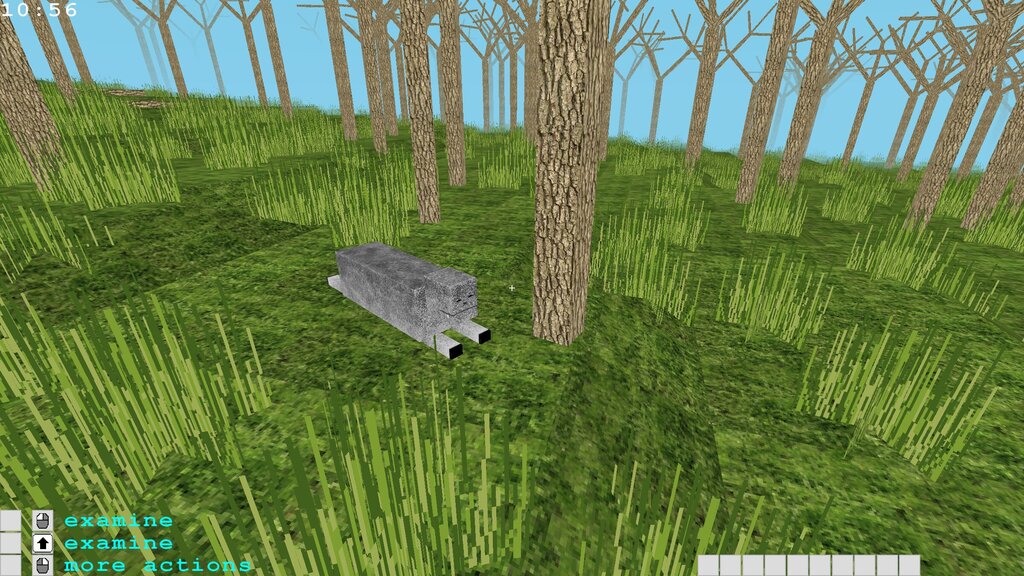
While laying the groundwork for the sleeping mechanics, I had to fully implement lying. This presented some interesting issues. For example, a lying human can be presented by the same 3D model, simply rotated as appropriate. That is not the case for the animals. Indeed, their legs must be rendered quite differently when they lie on their stomach. I settled for a simple "stretched" position for both pigs and wolves (see the screenshots below), because implementing folding legs seemed like overkill for now.
As I was playing with "lie down" and "stand up" commands, I realized that with just a little extra work, I could add full-featured crawling mechanics, too! So, it's now in. And not only one can crawl while lying on one's stomach, but it is also possible to turn so as to lie on the side or on the back. A little disorienting at first, but really fun.
In one of the screenshots below, you can see a one-block high tunnel leading to an underground room. It is possible to crawl through it, but there is no other entrance to the room. It should be possible to fit through a half-block high tunnel as well.
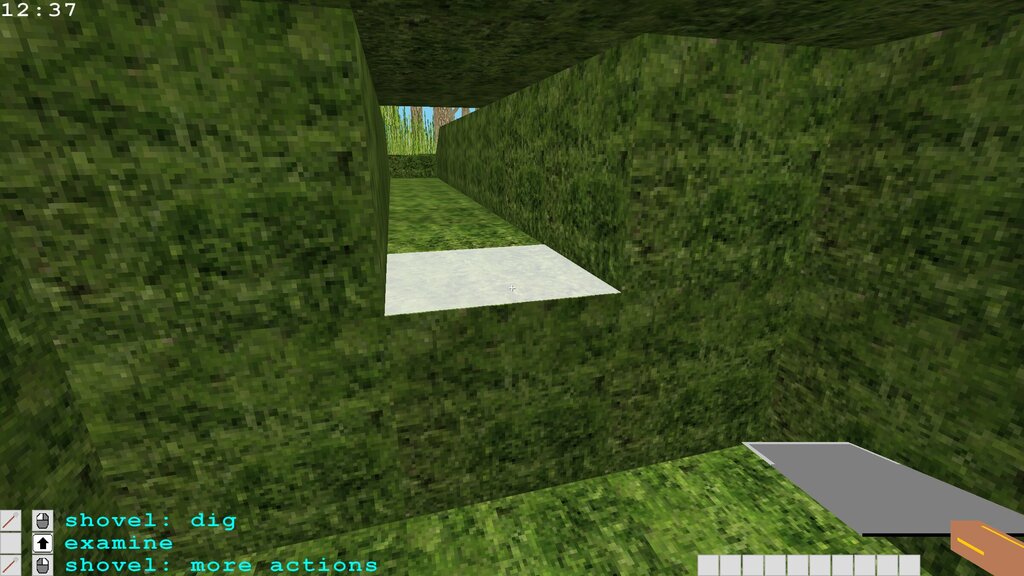
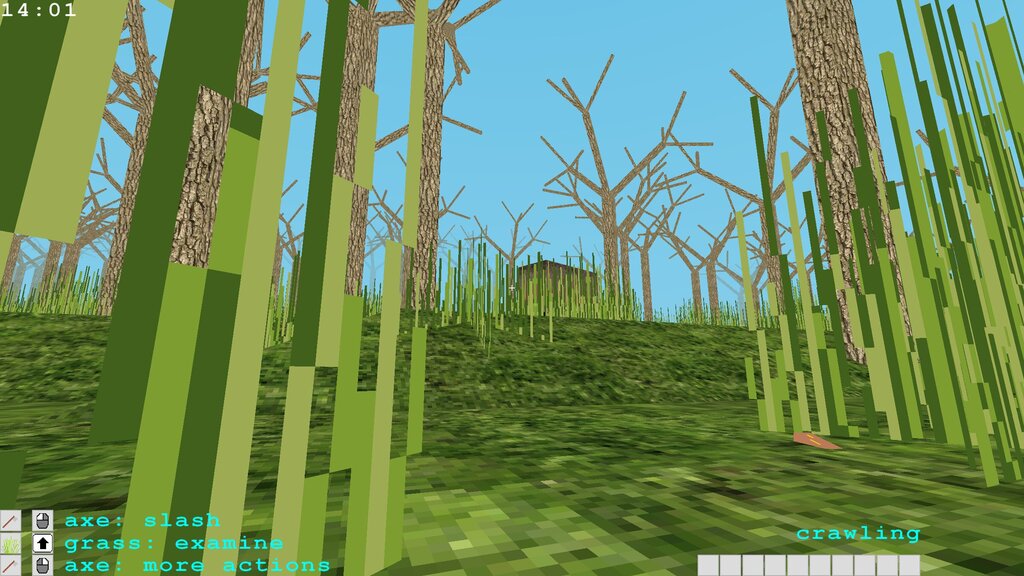
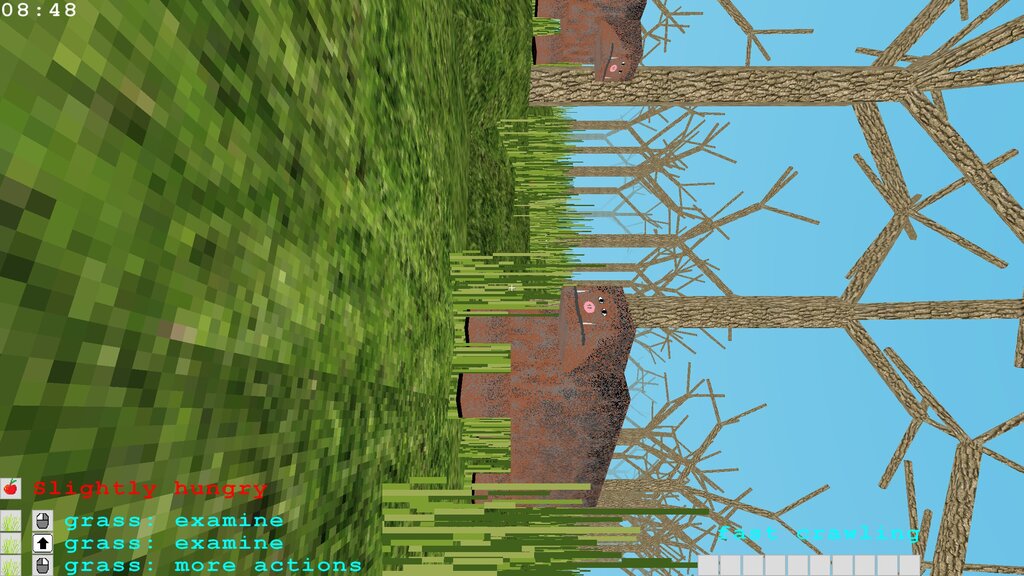
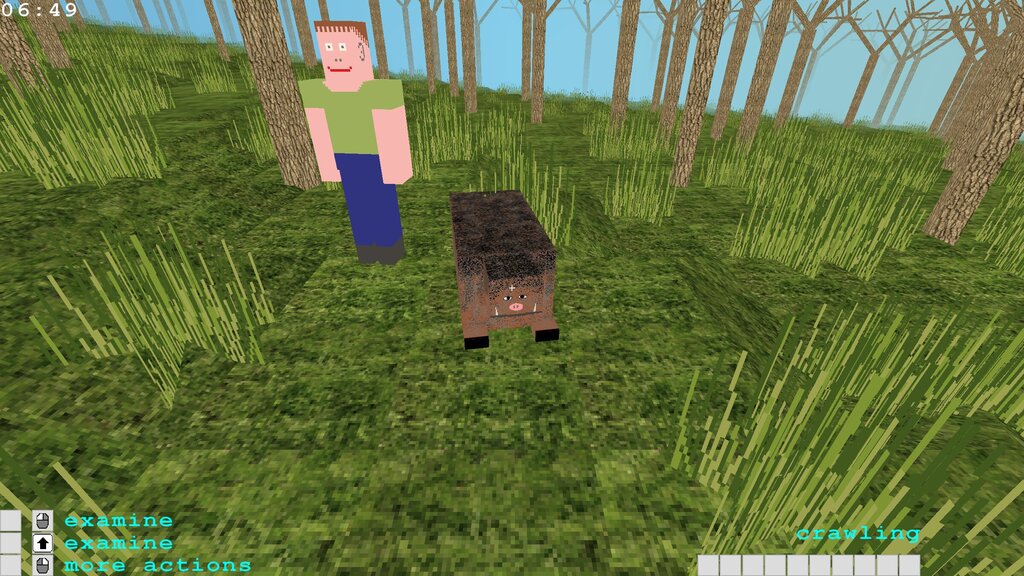
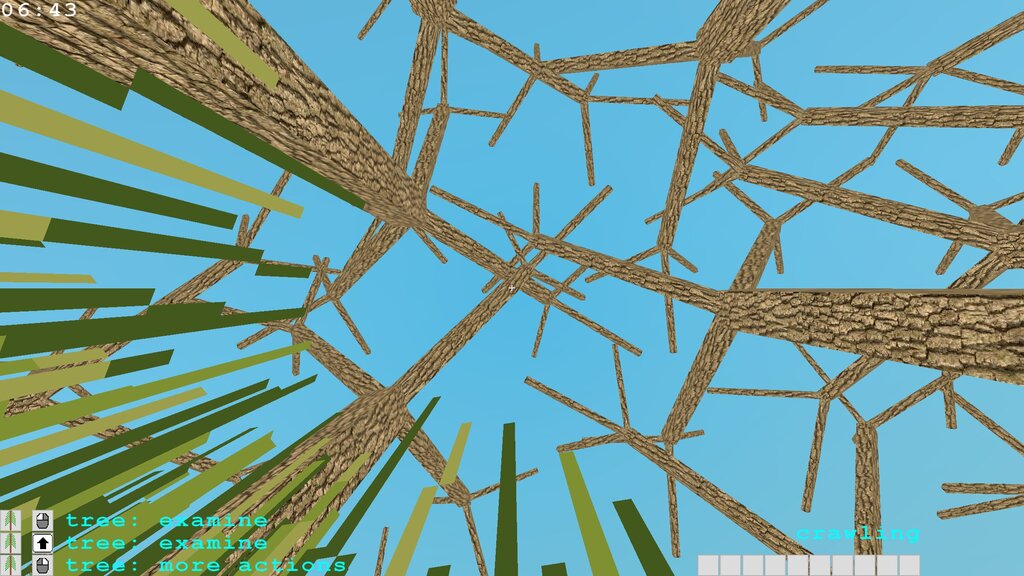
As you can see, I already started working on the sleep itself. I added a timer in the top left corner. It's for debugging only: for the real gameplay, I plan to replace it by a nicer and a less precise version. I also abandoned some of the stranger ideas about the time measurement I had previously (such as a 10-hour day, for instance) and decided to stick with the regular 24-hour, 60 minutes-per-hour days. The time scale is simple: 1 real life second for 1 in-game minute. Thus, a full in-game day lasts exactly 24 minutes. But if the character sleeps 6 to 8 hours a day, an average in-game day will actually last about 16-18 real life minutes, which sounds like a nice place to start.
Next up: more work on sleeping. I already tackled the accelerated simulation a bit, but I still need to add sleepiness and deal with a myriad of little details to clean it up. Hopefully, all will be ready by the next post. See you soon!
-- YamertLegend
Dev update: night and day
Here we are for the first development update for the upcoming V2 "Night and Day". To start, I added night, dawn, and sunset rendering (plus, the transitions in between). The time of day influences the sky, of course, but also the distance fog and the ambient light. There are no images for the sun nor the moon, yet.
The full duration of a day is just under 14 minutes. Half of that time is day, and the other half is nighttime. As more things to do become available, and the sleep gets mandatory, I am likely to double the duration.
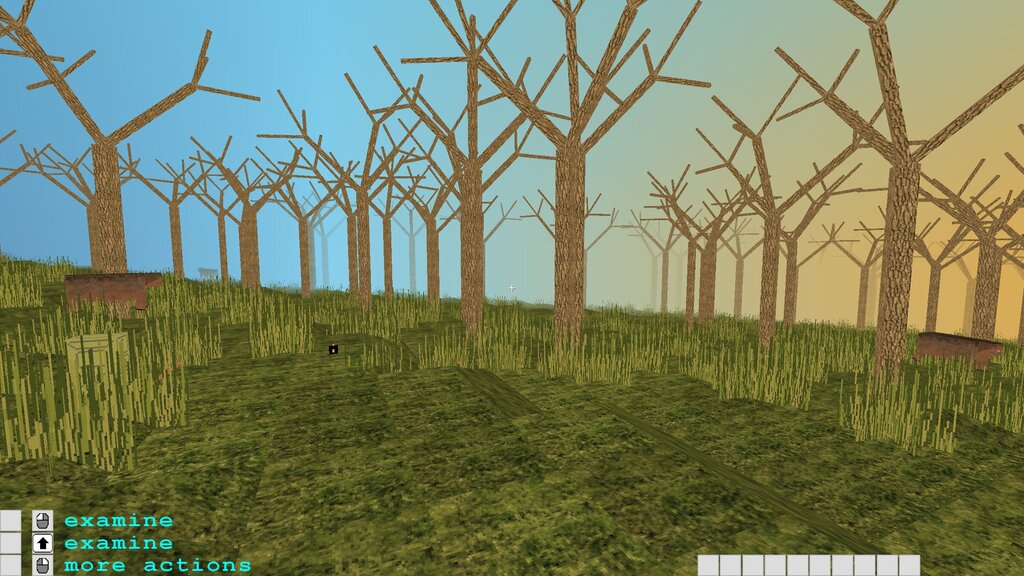
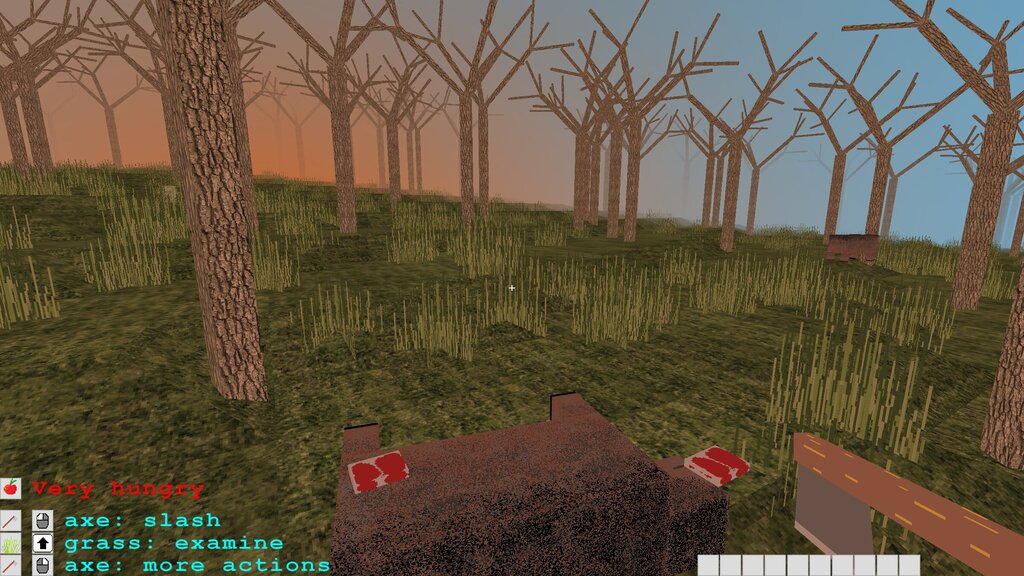
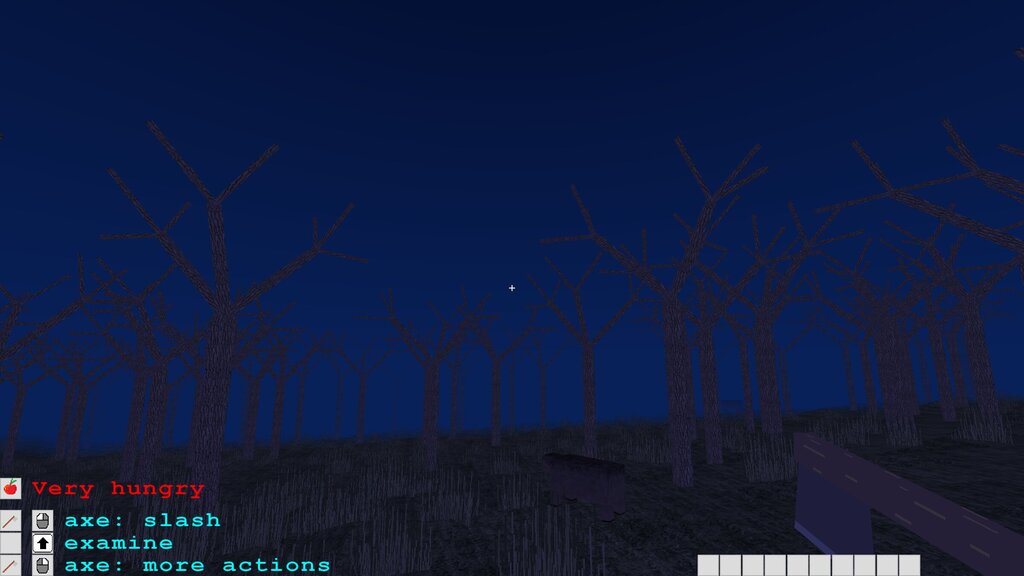
I hope you like it. It is quite simple for the moment, and I already have a few improvement ideas. But that'll have to do for now.
Next up: sleeping. That's a big one. First of all, all living creatures will have to be able to lie down. Then, I'll need to add sleepiness simulation, notifications, and the actual rest. Last, but not least, I plan to work on the accelerated simulation. It is an important part of the gameplay, so that the player can only sleep in a secure location. However, I dread the performance issues which are bound to come up. Afraid... but also eager to get to it. I think this is what will start fleshing out the demo in earnest.
-- YamertLegend
Social media accounts
I was about to publish some new screenshots here when it occured to me that now would be a great time to create social media accounts for Arcs of Magic.
And so, I created not one, not two, but a whole bunch of them! Maybe, too many. You can see all of them at the bottom of the feedback page. Feel free to contact me any time!
-- YamertLegend
V1 "Pigs and Wolves" released!
I am extremely excited to publish the very first official version of Arcs of Magic, the game I have been working on for several years now.
It is playable, strictly speaking. There are animals, hunger mechanics, rudimentary mining and building, as well as a save system. You can read the brief release notes for a short functional summary or dive into the detailed release notes if you wish to know every minute detail.
Still, I do not consider it to be in any kind of an "Alpha" or "Early access" state just yet. It is more of a concept demo at this stage. I put it out in order to get some very early feedback on the game engine and its core mechanics, the magic spell creation.
Also, because I have been working on it for such a long time without really showing it to anyone, I hope that having a published V1 will boost me psychologically and help me concentrate my efforts on the most useful features and improvements for the upcoming V2.
In order to give you an idea of the next steps, I put together a development roadmap and plan to publish updates on the development progress here, probably every 4 to 6 weeks.
The V1 release is accompanied by the launch of the game's official site, arcsofmagic.com. It contains information about the game, a simple screenshot gallery, a roadmap, news and feedback sections, and, of course, the download page!
I hope you'll like the magic crafting concept and am eager to hear your reactions and thoughts about it.
Enjoy! And see you soon.
-- YamertLegend